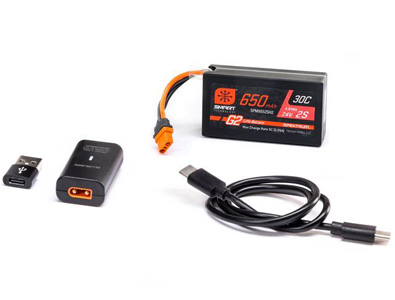
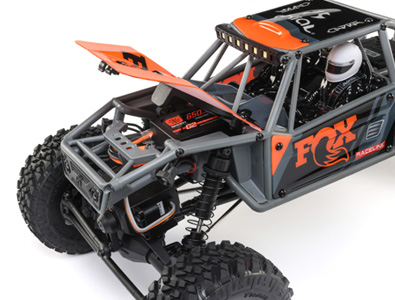
Set-up tips for installing and programming Axial’s AE-2 ESC.

Set-up:
1. Mount ESC in an area that is well ventilated, and isolated from vibration and shock.
2. Connect ESC wires to the motor(s).
3. Plug the receiver wire into the throttle channel on your receiver.
4. Before plugging the battery into the ESC, make sure your transmitter is on and that the throttle trim is set to zero.
5. Double check that the battery wires on the ESC are wired correctly, red on red and black on black. **Reversing the polarity will permanently damage the ESC**
6. Plug the battery into the ESC, with the ESC switch in the “off” position.
7. Apply full throttle on the transmitter.
8. Turn the ESC on while applying full throttle.
9. The ESC will emit a series of beeps through the motor with the “Red” LED.
10. Continue applying full throttle until the ESC blinks “Green” and emits a series of beeps to finalize the full throttle endpoint.
11. Once the ESC blinks “Red”, apply full brake/reverse, and hold.
12. The ESC will emit a series of beeps while blinking “Red” to finalize the reverse/brake endpoint.
13. Return the throttle to neutral and the ESC will emit a series of beeps to finalize the neutral point.
14. The ESC will emit one last series of beeps confirming the ESC is ready to go.
15. Apply throttle to make sure motor turns in the proper direction. To reverse the direction of the motor, switch the wires going to the motor.
Notes:
1. If ESC set-up does not initialize while holding full throttle, try switching the throttle reverse switch on the transmitter. Also double check that the throttle trim is still set to zero.
2. Lipo “Cut-off” is set to “On” from the factory.
3. Use the “Castle Link” to access the advanced settings in this ESC.
Specifications:
Input Voltage - 6 cell NiCad/NiMH or 2cell lipo**
Size - 1.7″ x 1.24″
Weight - 45 Grams
Motor Limit - 19t
On-Resistance FET - .0018
Rated/Peak Current - 106A Peak
Braking Current - 106A Peak
BEC Voltage - 5.0V/2A Peak
PWM Frequency - 6KHZ
**You can run higher voltage batteries such as a 7 cell NiCad/NiMH or 3 cell lipo with the installation of a “Castle BEC”
Manually programming Axial’s AE-2 ESC
Here are a few tips for programming Axial’s AE-2 ESC, without a computer or “Castle Link”.
You can manually adjust 3 of the most important settings in the AE-2 ESC.
1. Lipo Cut-off
2. Drag Brake
3. Reverse
Manual programming
Follow these steps to change settings on your Axial AE-2 ESC without a computer.
*Remove your pinion gear before calibration and manual programming as a safety precaution!*
STEP 1: Start with the transmitter ON and the ESC switched OFF and not connected to the battery.
STEP 2: Plug a battery into the ESC. Hold full throttle on the transmitter and turn the ESC switch ON. After a few seconds you will get the four rings in a row signaling full throttle calibration. Keep on holding full throttle. After a few more seconds, you will hear another four rings in a row. After the second group of four rings, relax the throttle to neutral. If you have successfully entered programming mode, the ESC will beep twice, pause, and repeat the two beeps.
STEP 3: The programming sequence is always presented in sequential order and always starts with the first setting (None) within the first section (Voltage Cutoff). The first beep(s) signifies which section of the programming you are in and the second beep(s) signifies which setting is waiting for a “yes” or “no” answer. As you go sequentially through the options, you will need to answer “yes” by holding full throttle, or answer “no” by holding full brake until the ESC accepts your answer by beeping rapidly. Once an answer has been accepted, relax the throttle back to neutral for the next question. After a “no” answer is accepted, the ESC will then present you with the next option in that section. After a “yes” answer is accepted, the ESC knows you aren’t interested in any other option in that section, so it skips to the first option in the next section.
Settings and explanations
The following section explains all the settings available to you via manual programming and what each one does to change the reactions of the ESC in order to tune it to your specific preferences. More settings are available via “Castle Link”.
1. Cutoff Voltage
Sets the voltage at which the ESC lowers or removes power to the motor in order to either keep the battery at a safe minimum voltage (Lithium Polymer cells) or the radio system working reliably (NiCad/NiMH cells).
Setting 1: None
Does not cut off or limit the motor due to low voltage. Do not use with any Lithium Polymer packs!
Use this setting ONLY with NiCad or NiMH packs. With continued driving, the radio system may eventually cease to deliver pulses to the servo and ESC, and the vehicle will not be under control.
You will irreversibly damage Lithium Polymer packs with this setting!
Setting 2: Auto-LiPo (Default)
This setting allows you to go back and forth between 2 and 3 cell LiPo packs without having to change the cutoff voltage for each one. The ESC automatically sets the cutoff voltage correctly for a 2 or 3 cell pack when that pack is plugged in.
2. Drag Brake
Sets the amount of drag brake applied at neutral throttle to simulate the slight braking effect of a neutral brushed motor while coasting.
Setting 1: Drag Brake OFF
Vehicle will coast with almost no resistance from the motor at neutral throttle.
Setting 2: Drag Brake 15%
Very Low amount of braking effect from the motor at neutral throttle
Setting 3: Drag brake 25%
Low amount of braking effect from the motor at neutral throttle
Setting 4: Drag Brake 40%
More braking effect from the motor at neutral throttle.
Setting 5: Drag Brake 50%
Fairly high braking effect from the motor at neutral throttle.
Setting 6: Drag Brake 100% (Default)
Full braking effect from the motor at neutral throttle.
3. Brake / Reverse Type
Sets whether reverse is enabled or not, and exactly how it can be accessed.
Setting 1: Reverse Lockout
This setting allows the use of reverse only after the ESC senses two seconds of neutral throttle. Use it for race practice sessions and bashing, but check with your race director to see if this setting is allowed for actual racing.
Setting 2: Forward/Brake Only
Use this setting for actual sanctioned racing events. Reverse cannot be accessed under any circumstances with this setting.
Setting 3: Forward/Brake/Reverse (Default)
Reverse or forward is accessible at any time after the ESC brakes to zero motor RPM.
Axial Car ESC Programming Reference:
1: Voltage Cutoff
Option 1 : None
Option 2 : Auto-LiPo (D)*
2: Drag Brake
Option 1 : Disabled
Option 2 : 15%
Option 3 : 25%
Option 4 : 40%
Option 5 : 50%
Option 6: 100% (D)*
3: Brake/Reverse Type
Option 1 : Reverse Lockout
Option 2 : Forward/Brake Only
Option 3 : Forward/Brake/Reverse (D)*
(D)* = Default setting from the factory


Please let me know , this ESC AE-2 is water proof , thanks…
It’s not waterproof. Your best bet is to use some balloons if you want to submerse your vehicle.
plese help me, can i run 6-cell batteries 8.4v on the ae-2 esc??
The 8.4 volt batteries are usually 7 cell, not 6 cell. But, either way the AE-2 ESC will be fine.
What you do to finish the manual programming??? Shut the transmitter off, shut the ESC off???
Thanks for the help
Shut the ESC off first, then the transmitter.
What hapend when everything is done…..you just switch the transmitter off and the ESC off???
Thanks for replying
After you are done running your truck, shut the ESC off first, then the transmitter. Then always unplug your batteries too.
I fallow all the step by step and can’t get in the programming….I heard the four rings and 2 ring at the beginning………( the 2 rings is after a second or two) i still hold full trottle…….waiting for the second four ring………..but never heard a second 4 rings after a few seconds…..
Please Help
Patrick
Update..
After a couple of try of the step by step…..I can’t understand why is not working for me. I found that getting in the manual programming……i have to make FULL REVERSE and BANG i’m in. I had to realize again that my YES was FULL REVERSE and my NO was FULL THROTTLE. After it was done the first time, i try the Wraith and realize that my Drag brake was setting at 50% instead of 100% from the default set up. So i try again to get in the programming…..BUT this time I CANT GET IN that easy with FULL REVERSE…because the truck made RING sound NON-STOP. I repeat AGAIN the procedure….same thing. After a couple of try…when i heard the NON-STOP RING…….i make FULL THROTTLE and FULL REVERSE……and I get in the programming again.
Patrick
Try contacting out customer service department at 949-600-8642. They can help guide you through the programming process.
hey,
if I set my options by remot controll the next timer I go through the esc menue all settings are set to the first of those three main groups. 1=1 2=1 3=1.How can I be sure the the lipo cut off is active at the next riding session. or is this behavior usal?
greez from germany
Try contacting out customer service department at 949-600-8642. They can help guide you through the programming process. It may be resetting itself every time you enter program mode.
Hi
Just want to ask can u run 2 motors on AE-2 ESC
You can if they are higher turn motors like 55t. I built an XR10 using our AE-2 ESC with 55t motors, and it worked great.
Hi,
Is it possible to set up this ESC such that the max speed is limited?
I just spoke on the phone to someone in a shop that said there is a button you press while you hold the throttle trigger at the desired max speed and then it won;t go over that speed under normal use.
I want to know as I want to let my 3yo son play with it from time to time without doing huge damage
Thanks,
Tom…
There isn’t that I know of. One tip that may help is taping some foam or something behind the throttle trigger, so he can’t pull the throttle wide open.
I tried cleaning my Wraith today, and unplugged my radio and servo. Pluged it back in and it started tweeking out, So I just tried to re program it and it flashed red and green and didn’t quit beeping. I have no clue what to do next. Battery is charged, transmitter has good batteries, and I followed the instructions exactly. Is my ESC toast?
Thanks
No sure if your ESC is toast or not, try calling our customer service department, they might be able to help you get it going again. Phone number is 949-600-8642.
This is a good write up saved my rear a few times. I have this esc in my sos truck and idk why but it unbinds or un programs it self about once every 1-2 months. Easy fix just wish I knew why it done this. Straight out the box Its done it.
That is weird, try calling our customer service department and let them know what issues you are having. 949-600-8642
When I program mine it programs but there is no reverse even though i select reverse option any help
Hit up our customer service department, they should be able to get you squared away. 949-600-8642
[...] Yes, the LiPO LVC is set from the factory. Manual is here….. Axial AE-2 ESC Set-up and Programming [...]
[...] manual ( Axial AE-2 ESC Set-up and Programming ) suggests an external BEC when used with a 3S [...]
[...] found a manual for the AE-2 ( Axial AE-2 ESC Set-up and Programming ), but it does not include troubleshooting. In a few posts on Axials site for this ESC, when [...]
[...] Not to imply you don’t know what you are doing but maybe you aren’t calibrating it right? Axial AE-2 ESC Set-up and Programming [...]
[...] You might read through this and compare it to your settings. Axial AE-2 ESC Set-up and Programming [...]
I’m sure set AE-2 to 3-3 options(Forward/Brake/Reverse), and saved. but did not work! Same no brake function, still only forward and reverse! Why? Why? Why?
My manual Settings are as follows:
1: Voltage Cutoff
Option 2 : Auto-LiPo (B,B-B ,then press Full throttle)
2: Drag Brake
Option 1 : Disabled (B-B,B ,then press Full throttle)
3: Brake/Reverse Type
Option 3 : Forward/Brake/Reverse (B-B-B,B-B-B ,then press Full throttle)
step 4: relax the throttle back to neutral, waiting AE-2 Auto reboot.
Make sure your throttle sub trim is set to zero when you do the initial set-up, otherwise it may not work properly. If you still have problems try contacting our customer service department at 949-600-8642.
Finally, my car is SCX10 - 90016, the factory configuration. No any changes.
Open the ESC switch, ESC B B B ….. B B. Then, the green light flashes. ESC not work.
when for rock crawling yesthurday and a the end of my run the lipo cut off did is job. when home and charge the batt. after that turn the switch on for the truck and i soon i give some trothle everything shot off no light nothing.
tonigh ì’ve try again i check the esc when i go foward a= i got red light and reverse green. do you have any idea what the problem
thanks
Hi Martin, sorry for the delay answering your question. Try contacting out customer service department at 949-600-8642, or email service@axialracing.com
[...] Here some great info on the AE-2 ESC Axial AE-2 ESC Set-up and Programming [...]
[...] Ok It works now I found this page Axial AE-2 ESC Set-up and Programming I tried it and it works [...]
Hi my Axial AX-10 was running fine yesterday Now it wont go fwd or rev. steering works fine
is there a reset or what can i do. thanks
Hi Murphy. Try contacting out customer service department at 949-600-8642.
[...] ESC cooked? newbe Manual for AE-2….. Axial AE-2 ESC Set-up and Programming Castle document….read the troubleshooting at the bottom…. Castle Creations | FAQ: 1/10th Scale [...]
[...] mentioned the AE-2 can be run under 3S with the installation of a Castle Creations BEC (i.e. from Axial AE-2 ESC Set-up and Programming, **You can run higher voltage batteries such as a 7 cell NiCad/NiMH or 3 cell lipo with the [...]
Trying to change the LiPo cutoff from the factory settings. I’m following the above directions but when I turn the ESC on I get no beeps. Any idea what the problem could be?
Try either emailing or calling our customer service department, they should be able to help. service@axialracing.com or 949-600-8642.
[...] ESC / new Tx Rx issues Thanks guys. Here is some additional information that was useful: Axial AE-2 ESC Set-up and Programming I am now good to go! I did not know I can use the CastleLink with the AE-2 ESC - how exciting!! [...]
[...] calibrate your ESC, this will tell the ESC where full throttle/reverse is as well as neutral. Axial AE-2 ESC Set-up and Programming If that doesnt help then we will need more information to help you. Are there lights blinking or [...]
[...] points on the ESC for the throttle??? if not, these might be causing issues for you heres a link to Axial site for the programming for theAE-2 ESC hope it [...]
I have gone through the manual setup up 5 times and everytime I turn off the ESC and the transmitter, then turn it back on, it goes back to 1-1, 2-1, 3-1. I cannot get the manual settings to stick….. What do I need to do?
Try contacting out customer service department at 949-600-8642, or email service@axialracing.com
They can help walk you through the process.
my scx 10 honcho cuts off when i try to go over obstacles and has no power and then will get bursts of power out of no where. i just took it out of the box and have only drove it in the living room whats wrong with it?
Try contacting out customer service department at 949-600-8642, or email service@axialracing.com they can help you sort out the issue.
The car is amazing indeed compared to my other RC cars. However I have some issues. I bought my SCX10 Hanco from rcmart.com few weeks ago and received it just last week. Anyhow when I tried to run the SCX10 the transmitter and receiver is not working at all, though I already informed the seller about it but unfortunately didnt get a solution.
Im sort of disappointed though for the lack of response. Anyway, I removed the receiver and replaced it with the one I am using with my Tamiya CC01,,,, wallah!!! IT DID WORK PERFECTLY! Since, obviously there is a factory defect I would like to have a replacement of the transmitter and receiver the soonest.
BTW Im currently living here in Jeddah, Saudi Arabia so I cant call your costumer service.
Appreciate your prompt response.
Thanks,
Touhami Altouhami
Hello Touhami,
Try emailing our customer service department, they can break down the radio binding process for you. service@axialracing.com
We also recently posted a couple “how to” videos to youtube explaining the binding and ESC calibration processes.
Radio:
http://www.youtube.com/watch?v=jv2cjMyC34g&feature=g-all-u&context=G2a4b52cFAAAAAAAAAAA
ESC:
http://www.youtube.com/watch?v=cFLKaA1a7fQ&feature=g-all-u&context=G2a4b52cFAAAAAAAAAAA
I have tried to program esc for turning off lip detection… failed. Tried to setup and failed. Steering works but no forward or reverse. Brand new scx10 honcho.
Hi Daniel, try contacting our customer service department they can help you determine what the issue is. 949-600-8642 or email service@axialracing.com
bender : at the top of the blog you told someone that you can run a 8.4v battery on the esc when i tryed it my truck cut out and started jumping when i tryed to run it it runs just fine with 7.2v so whats the deal
It won’t hurt the ESC to run 8.4v, but you may experience some glitching in binds depending on the motor and servo you are running. A 55t motor with a moderate servo will probably be fine, but a 27t motor with a high torque servo will probably glitch quite a bit. Installing a BEC is the best way to avoid the issue all together.
is the servo on the rtr honcho high torque
For an RTR is has a decent amount of torque, around 160oz if I remember right.
I am thinking about manually adjusting my wraith’s drab brake but i was wondering if i had to remove the pinion gear before i did the adjusting?
Thanks for a great write up!
I should have my new Wraith RTR waiting for me at home and I have a quick question. I plan on running a 7.2 NiMH, is it necessary to turn off the low-voltage cut-off?
Thanks, and I love your writeup on the Wraith. It has helped me out lots!
Scott